Welcome to our shop

logologo
Home
All Product
Hot Sales & Promotions
About Us​
Support & Contact​
HomeAll Shredder

Find the Right Shredder for Your Security Needs

Compare security levels, capacity, and recommended use cases across the Wingwise lineup.

FILTERS
Clear
21 products
FILTERS
Sort by:
Featured
Featured
Best Sellers
Price, Low to High
Price, High to Low
On Sale
A-WW-S6616A-WW-S6616
A-WW-S6616
$0.00
A-WW-S4310A-WW-S4310
A-WW-S4310
$0.00
(6)
A-WW-S3715A-WW-S3715
A-WW-S3715
$0.00
(10)
A-WW-S3615A-WW-S3615
A-WW-S3615
$0.00
(11)
A-WW-S2104A-WW-S2104
A-WW-S2104
$0.00
(3)
A-WW-S6605CA-WW-S6605C
A-WW-S6605C
$0.00
A-WW-S94501A-WW-S94501
A-WW-S94501
$1,111.00
(15)
A-WW-S620A-WW-S620
A-WW-S620
$0.00
A-WW-S6115A-WW-S6115
A-WW-S6115
$0.00
S3515A-WWS3515A-WW
S3515A-WW
$0.00
A-WW-S6625BA-WW-S6625B
A-WW-S6625B
$0.00
A-WW-S6615PA-WW-S6615P
A-WW-S6615P
$0.00
S6615-WWS6615-WW
S6615-WW
$0.00
(21)
S3509A-WWS3509A-WW
S3509A-WW
$0.00
(31)
A-WW-S1212CDA-WW-S1212CD
A-WW-S1212CD
$0.00
A-WW-S815CCA-WW-S815CC
A-WW-S815CC
$0.00
A-WW-S518CCA-WW-S518CC
A-WW-S518CC
$0.00
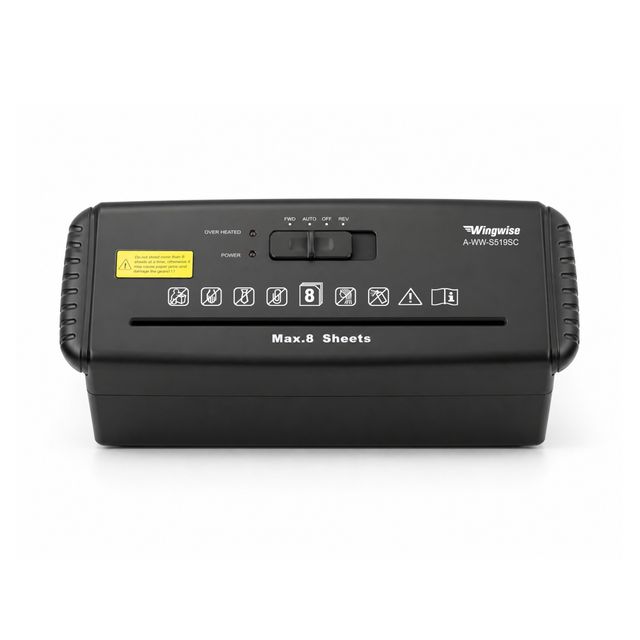
A-WW-S519SCA-WW-S519SC
A-WW-S519SC
$0.00
A-WW-S801WHA-WW-S801WH
A-WW-S801WH
$11,111.00
(23)
S801-WWS801-WW
S801-WW
$1,234.00 ~ $1,245.00
$3,456.00
(19)
A-WW-S8106A-WW-S8106
A-WW-S8106
$1,234.00 ~ $1,245.00
$3,456.00
(52)
S6615
S3308
S3509
S4210
S801
Price
$153.99
--
$119.99
$174.18
$129.99
Features
Extra-large capacity
Lite and fast
Comprehensive
Performance beast
Buying Options
Secrecy level
P-4
P-4
P-5
P-5
P-4
Bin capacity
7.9 Gallons
4 Gallons
5.8 Gallons
6.1 Gallons
5.8 Gallons
Weights
29.8lbs/13.5kg
18.1lbs/8.2kg
23.4lbs/10.6kg
27.6lbs/12.5kg
21.8lbs/9.9kg
Shredding Speed
2m/min
2.2m/min
2.4m/min
1.8m/min
2.4m/min
Working Time
120min
10min
10min
60min
8min
Noise Level
58dB
58dB
58dB
58dB
55dB
ShredS CDs?
✘
✘
✔
✘
✔

FAQs

Documentation and FAQ: This page provides answers to common and not-so-common questions.

  • Is the machine continuously rotating after being powered on?

    ① The paper-entry sensor may be obstructed by paper scraps or foreign objects; please turn off the power and use tweezers or a similar tool to clear the obstruction (do not use your hands).

    ② If the sensing component is defective, please contact Customer Service for assistance.

  • Is the machine powered on but not feeding paper?

    ① The paper may be too thin; try inserting a few additional sheets.

    ② Try using the forced forward or reverse functions.

    ③ If the cutting blades do not respond while the motor is running, there may be an issue with the transmission system.

  • Did the machine suddenly stop during shredding?

    ① Overheat protection may have been triggered; please unplug the unit and wait for approximately 45 minutes.

    ② The waste bin is full; please empty the waste bin.

    ③ A paper jam occurred due to shredding too much paper at once; please clear the jammed paper or debris.

Products
Service
Support
SAVE 10% ON YOUR FIRST ORDER

©2025 shopastro All Rights Reserved.